الوصف
محوّل ملفات نظام نور أداة ويب احترافية تحل مشكلة التشويش الشهيرة التي يعاني منها كل من يتعامل مع ملفات نظام نور.
المشكلة: حين تُنزّل ملفاً من نظام نور وتفتحه في Excel، تجد النصوص العربية أحرفاً غريبة لا معنى لها — وذلك بسبب تعارض الترميز بين النظام وبرنامج Excel.
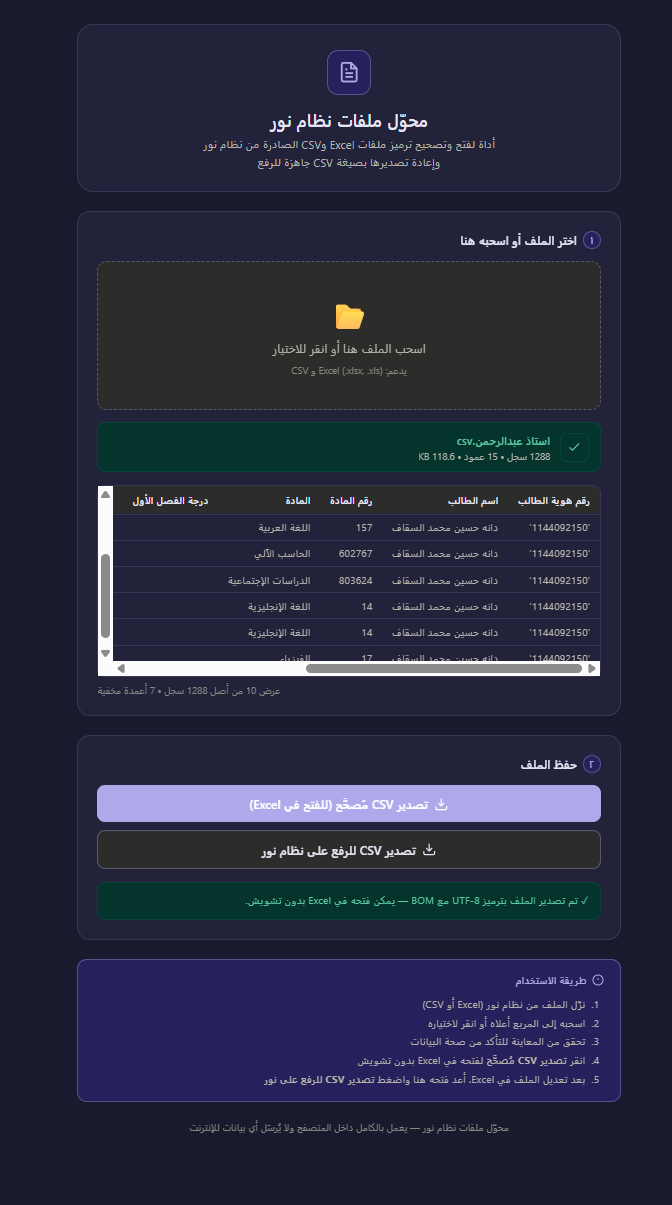
الحل بخطوة واحدة: اسحب ملفك إلى الأداة، وستقرأه تلقائياً وتصحح الترميز وتعرض لك معاينة فورية للبيانات، ثم تحفظه بصيغة جاهزة لـ Excel بالعربية السليمة تماماً.
وعند الانتهاء من التعديل: تُعيد تصدير الملف بترميز Windows-1256 المتوافق مع نظام نور للرفع مباشرة.
مميزات الأداة:
- تعمل في المتصفح مباشرة — لا تثبيت ولا تسجيل
- تدعم ملفات Excel (xlsx، xls) وCSV
- معاينة فورية للبيانات قبل الحفظ
- تصدير بترميزين: UTF-8 مع BOM للـ Excel، وWindows-1256 لنظام نور
- بياناتك لا تُرفع لأي خادم — كل المعالجة تتم على جهازك
- تدعم الوضع الليلي تلقائياً
Noor File Converter is a lightweight, browser-based tool that solves the most common frustration for anyone working with Saudi Arabia’s Noor education management system: Arabic text appearing as broken symbols in Excel.
The Problem: Noor exports files using Windows-1256 (Arabic encoding). When opened directly in Excel, all Arabic content turns into unreadable gibberish due to encoding mismatch.
The Fix: Simply drag your file onto the tool. It instantly reads the file, corrects the encoding, shows you a live data preview, and lets you download a clean CSV that Excel opens perfectly — every Arabic character intact.
When you’re done editing: Export the file back in Windows-1256 format, fully compatible with Noor’s upload system.
Key Features:
- Runs entirely in the browser — no installation, no signup
- Supports Excel (.xlsx, .xls) and CSV files
- Instant data preview before saving
- Two export modes: UTF-8 with BOM for Excel, Windows-1256 for Noor
- 100% private — your data never leaves your device
- Automatic dark mode support